Show shoppers what they unlock
A progress bar in the cart turns a free gift, free shipping and bigger discounts into goals worth reaching.
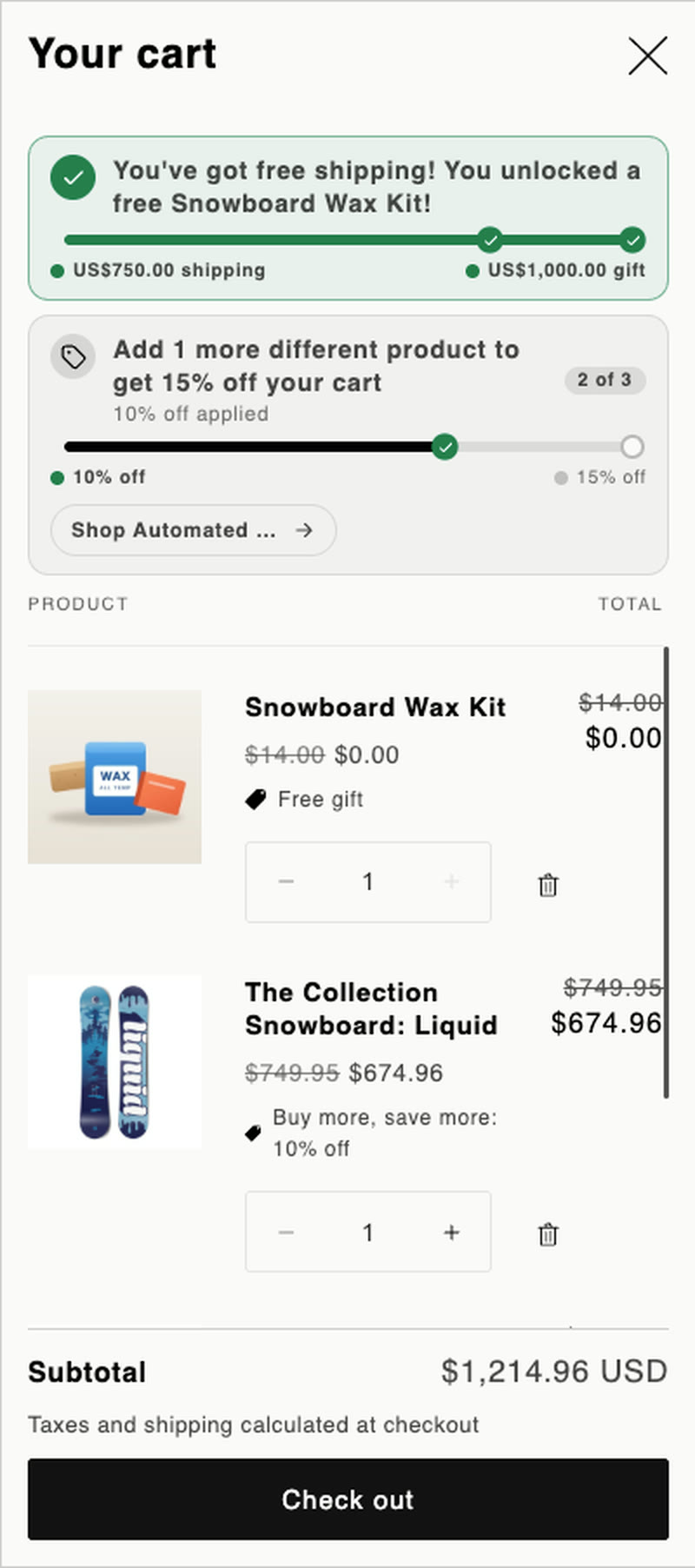
The bar moves as the cart fills
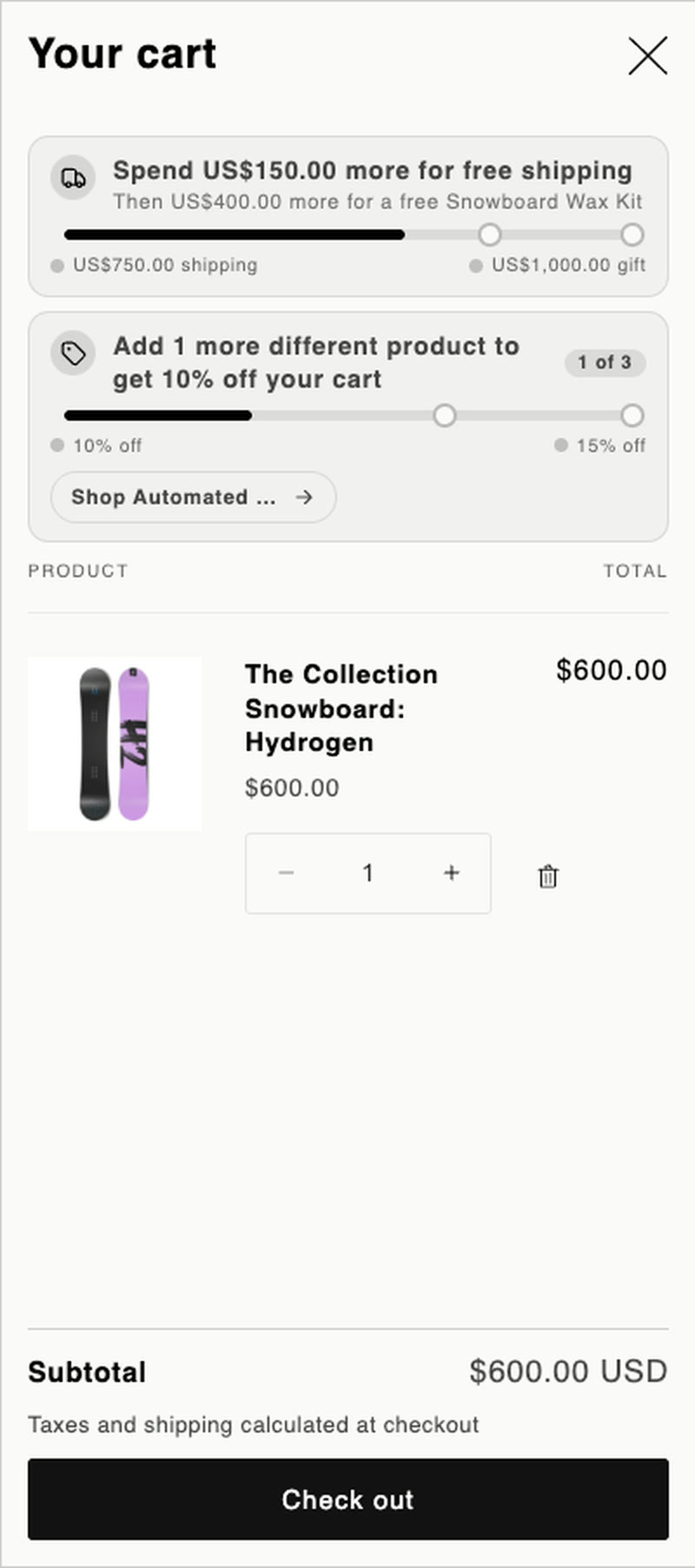
Shoppers always see the next reward and how far away it is. When they reach it, the gift adds itself.
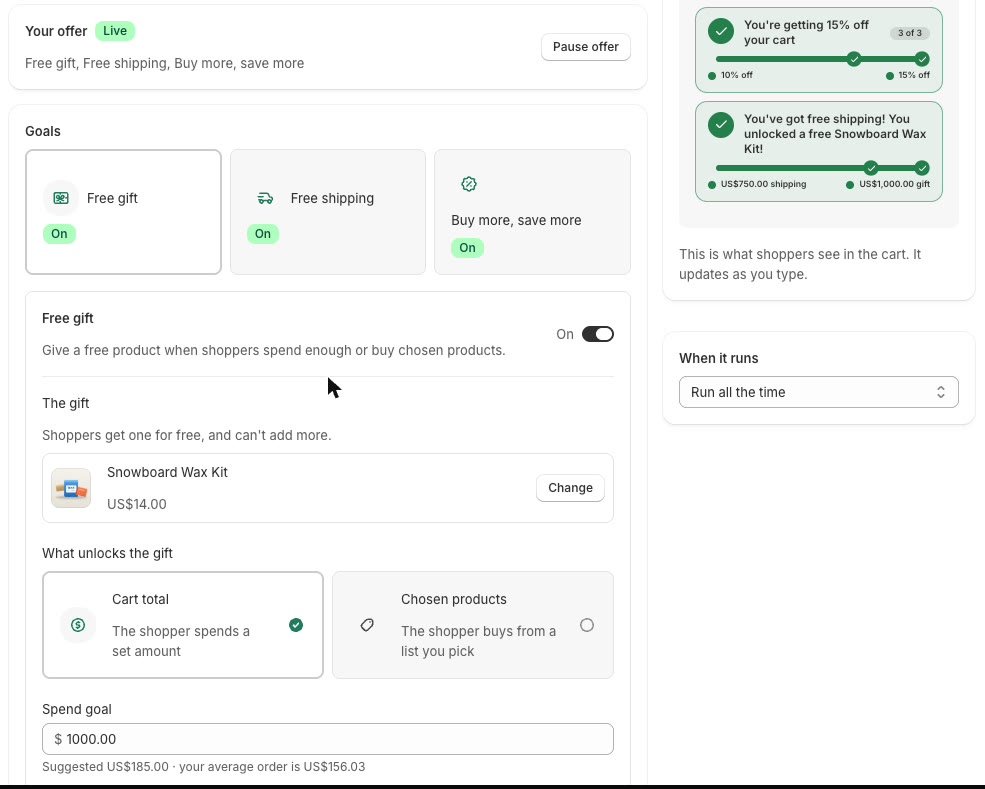
Three goals. Use one or all of them.
Free gift with purchase
Unlock it by spend or by chosen products. The gift is your real product, so stock goes down when it's ordered.
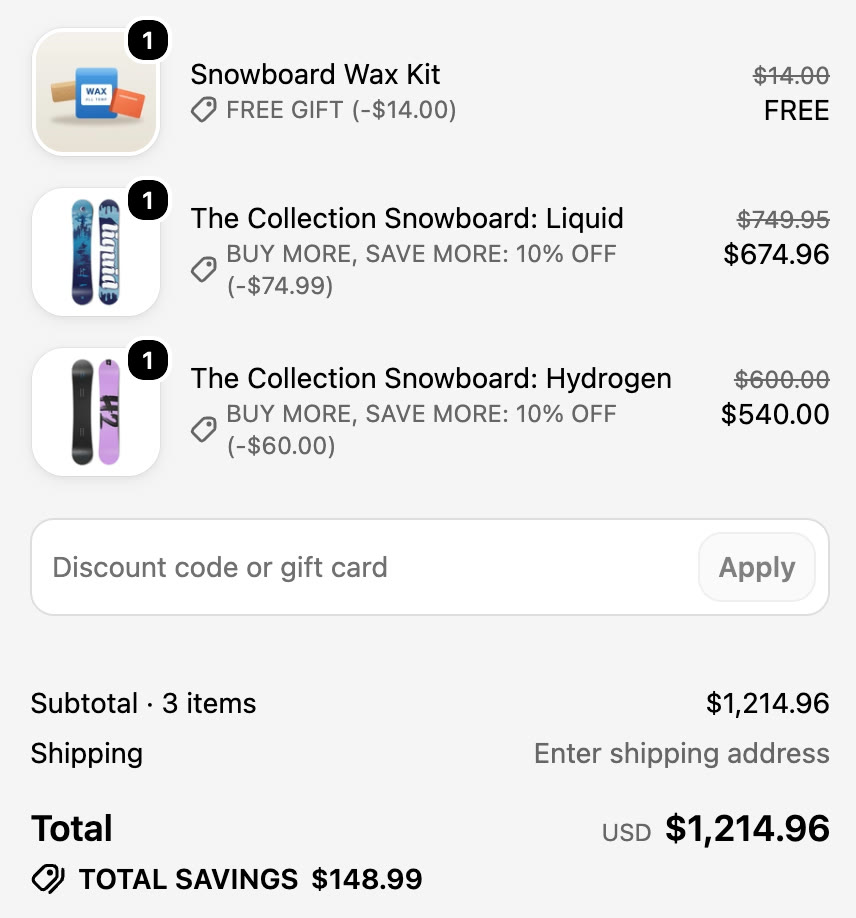
Free shipping goal
A live message shows how much more to spend. Your own shipping rates give the free shipping.
Buy more, save more
Set up to three tiers that take a percentage off the cart, and show them on product pages too.
See the whole flow
Install, set up an offer, shop as a customer, check out and see the results.
Set up with no code
- Pick your goalsChoose a gift, a spend amount or discount tiers, and watch the preview update.
- Turn on the cart barOne switch in the theme editor. Nothing to paste into your theme.
- See what it doesHome counts your offer orders and the sales from them.
Simple pricing
Both plans include every feature. An offer order is one that got the free gift or a tier discount.
Free
Up to 50 offer orders a month. The offer pauses when you reach the limit.
Unlimited
No limit on offer orders. Billed through your Shopify invoice, and you can switch back any time.